Here I give a breakdown of how I have setup my DIY desktop computer to run AlmaLinux OS (currently 10.2) using the Boot ISO.
I start the install by selecting Minimal Install.
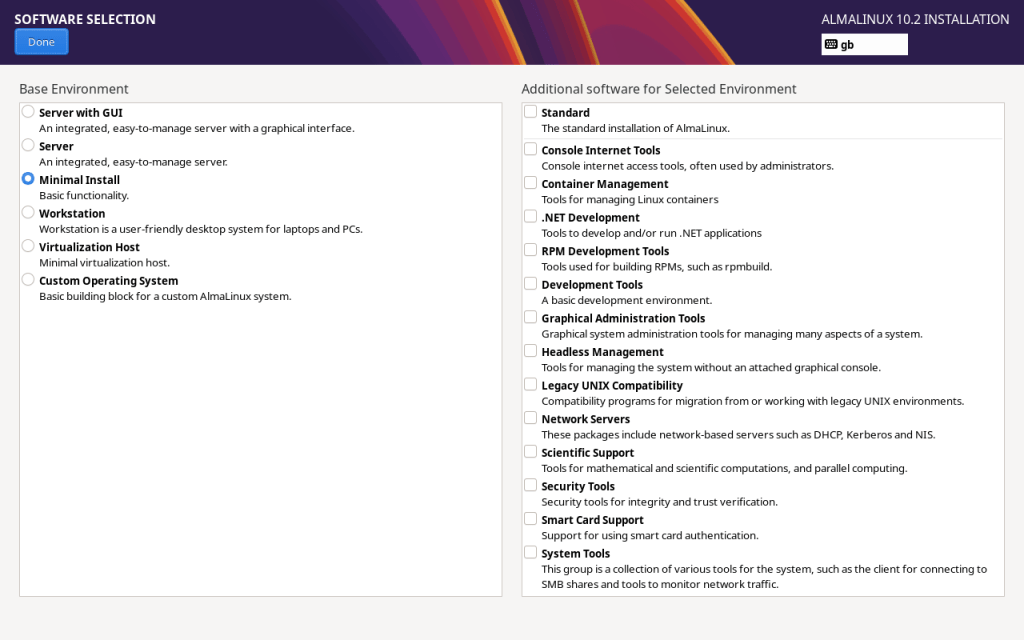
Since there are many installer options that require unique configuration I will not be covering them here. Please refer to the AlmaLinux OS Wiki for more info.
Once the Install is completed the computer is rebooted to start the console (BASH). Once logged in as a user I switch to root (I don’t use sudo but instead prefer using su – root so I have configured a complex root password and a regular user without admin rights) and start executing commands.
I start by backing up fstab and dnf.conf (since I want to modify them):
cp /etc/fstab /etc/fstab.orig && cp /etc/dnf/dnf.conf /etc/dnf/dnf.conf.orig
Using a text editor I change the dnf.conf file adding:
max_parallel_downloads=10
fastestmirror=True
Update the repos and Install EPEL
dnf update && dnf install epel-release
Desktop Environment packages are found as groups, it’s possible to list available group packages using: dnf group list
Since I’ll be installing GNOME I check what’s included in “Workstation” using:
dnf group info “Workstation” # this lists package types as shown below
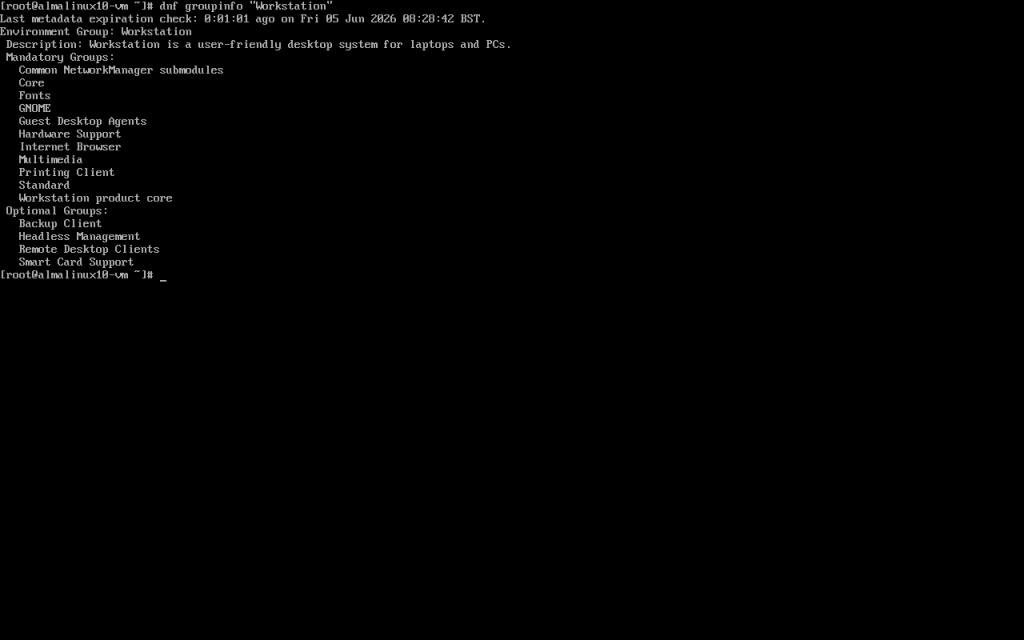
Internet Browser is listed which will be an ESR version of Firefox. I choose to exclude Firefox from the install as I prefer using a newer browser.
dnf groupinstall “Workstation” –exclude=firefox # this will install all the group packages excluding Firefox
Since I want AlmaLinux OS to boot into a GUI I run the command and reboot:
systemctl set-default graphical.target
Login in to GNOME
Launch a terminal window and switch to root enable fstrim timer / service
systemctl enable fstrim.timer
systemctl start fstrim.service
Install key packages
dnf install gnome-tweaks audacious filezilla firewall-config wireshark remmina virt-manager kernel-devel dkms
Configure Flathub to install Flatpak packages
flatpak remote-add –if-not-exists flathub https://dl.flathub.org/repo/flathub.flatpakrepo
Below I list the key Flathub (with Flathub links) obtained Flatpak packages that I install (at the time of writing all are verified packages). Since the command structure may change it’s always best to refer to Flathub or the software vendor’s site first.
- flatpak install flathub org.mozilla.firefox
- flatpak install flathub org.mozilla.thunderbird
- flatpak install flathub org.libreoffice.LibreOffice
- flatpak install flathub org.gimp.GIMP
- flatpak install flathub de.haeckerfelix.Shortwave
- flatpak install flathub eu.grimripper.grimripper
- flatpak install flathub org.inkscape.Inkscape
- flatpak install flathub org.gnome.Showtime
- flatpak install flathub org.kde.kdenlive
Some packages e.g. wireshark / libvirt will require user account to be added to their group e.g. usermod -aG wireshark user or usermod -aG libvirt user.
 port76.com | Welcome!